AlphaiPhoneiPadAndroidWeb

Mineral Line

Army lists, game tracking and every rule for StarCraft: Tabletop Miniatures Game. On your phone and on the iPad at the side of the table.

Free No account needed on your phone Works offline

Victory pointsRounds and phasesResourcesSupplyUnit healthUndoTwo linked phonesTable displayArmy listsEvery ruleRules questionsStats

01Tracker

Everything on the table, on one screen.

  1. 01

    Victory points and resources for both players: Command Points, Biomass or Psionic Energy.

  2. 02

    Four phases a round, for as many rounds as the mission says. Next moves the game on; back steps it back.

  3. 03

    How much of the Supply Pool each army has deployed, and who holds each marker.

  4. 04

    Health and activations for every unit, a scroll below. Undo takes back your last change.

  5. 05

    Phones and tablets, portrait and landscape.

02Linked games

Two phones, one game.

Scan your opponent's QR code and your trackers are linked. Score, markers, resources and the phase show up on both phones as they change. Friends can watch from their own phones.

The table display.

Prop an iPad at the side of the table. Whatever either player changes shows up on it straight away, big enough to read from across the room.

Dakotah's phone
Mara K.'s phone

03Army lists

Army lists, checked as you build.

The builder only offers units your list can take and counts every slot as you go. If a list breaks a rule, it says which one. Share by QR code, link or PDF.

Minerals
1000 / 2000 / 3000
Slots
Core / Elite / Support / Air / Hero
Share
QR code / Link / PDF
9:41
Bio Push
Minerals1000 / 1000
Vespene Gas40 / 100
Supply5
Core3/3
Support1/3
Air0/1
Hero1/1
LegalRules for list building
UnitsAdd unit
MarineCore, 6 models, Supply 1Combat Shield, AGG-12
200
MarineCore, 6 models, Supply 1Grenades - Frag
180
MarauderCore, 2 models, Supply 1Kinetic Foam
180
MedicSupport, 3 models, Supply 1Stabilizer Medpacks, A-13
160
Jim RaynorHero, Unique, 1 model, Supply 1
280
Point Defense DroneFrom Raynor's Raiders, 1 model, Supply 0
0
Home
Army
Stats
Play
Building the Bio Push list with Raynor’s Raiders and the Academy card: five units add up to 1000 of 1000 minerals, 40 of 100 gas and Supply 5, with Core 3 of 3, Support 1 of 3, Air 0 of 1 and Hero 1 of 1, and the list is marked Legal. The Point Defense Drone comes with the Raynor’s Raiders card.

04Rules

The rules, in your pocket.

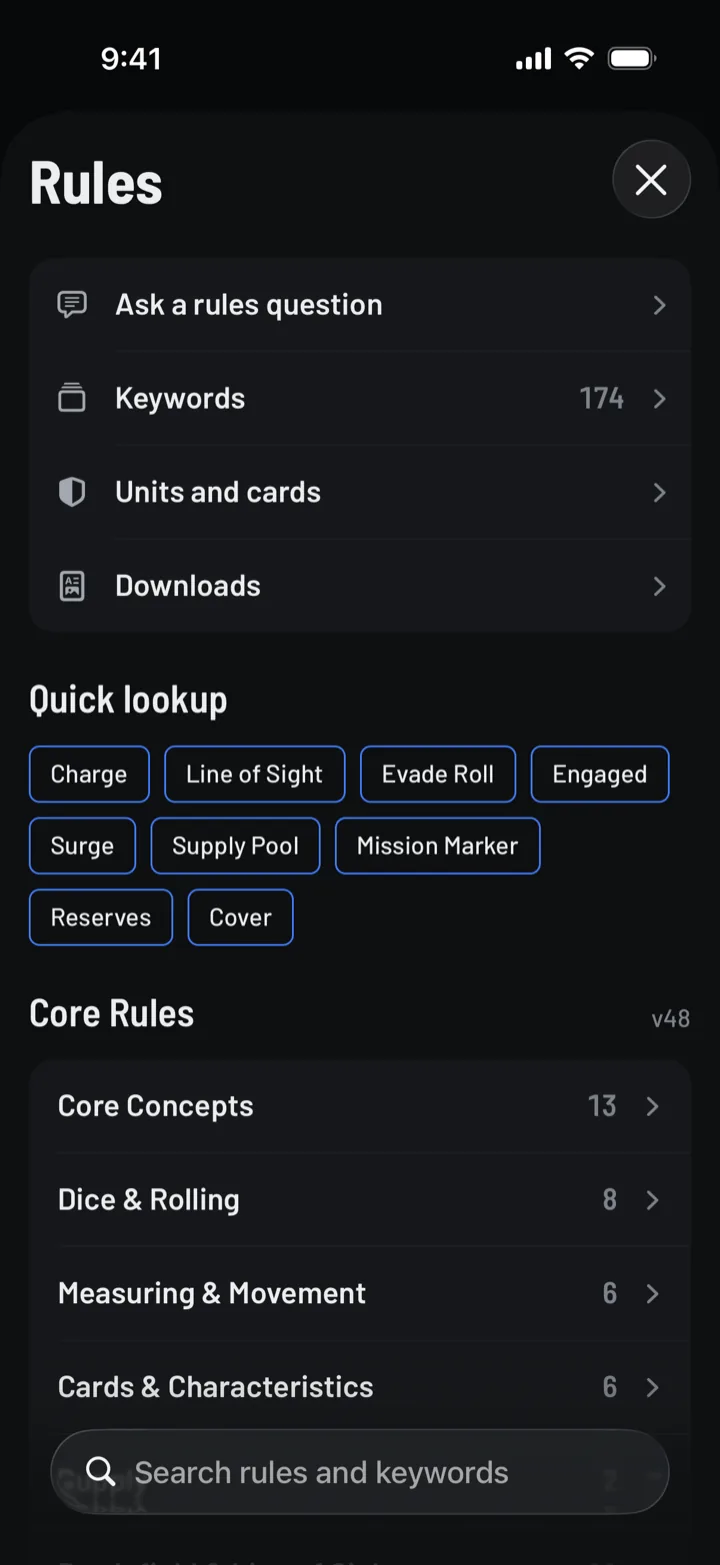
Every rule and keyword in the Core Rules, searchable. Ask a rules question in plain words and the answer cites the rules it came from, one tap from the full text.

Core Rules v50 · Official FAQ v1.1, 25 September 2026 · Errata to 9 October 2026 · Points from the official army builder, 12 October 2026. Checked against Archon’s published data every day.

The Rules screen: Ask a rules question, Keywords, Units and cards and Downloads, quick lookup chips such as Charge, Line of Sight and Engaged, and the chapters of the Core Rules.
  1. 1ActivationsThe Assault Phase, §8.6.1
  2. 2DisengageMovement Phase Actions, §8.5.4
  3. 3UnengagedKeyword

05Stats

Every game you've played.

Win rate, VP margins, how each list performs and how you do against each faction. Share the recap after the game.

06 Organised Play

The tournament kit.

Built to Archon's official Organised Play guide, for league nights and weekend events.

  1. 01Clock
  2. 02Lock Screen
  3. 03Draft
  4. 04Result
  5. 05Cards
  6. 06Events
  • Clock and score on one screen. Each player's time sits right under their VP, and the round clock sits above both.
  • Your opponent's roster, one tap away. Check their units and upgrades from the tracker without leaving the game.
  • The same game everywhere. Both phones and the propped iPad show the same score and the same clocks.
  • The printed roster, too. Export the roster PDF the event asks for, from the same list.

Tournament clock

Turn on Play on a clock when you set up a game. The official time split and the milestone calls show on both phones, the table display and the Lock Screen.

A tap made during a short drop-out still counts from when it was made. If a phone drops out, the clock keeps running on the other phone and the table display.
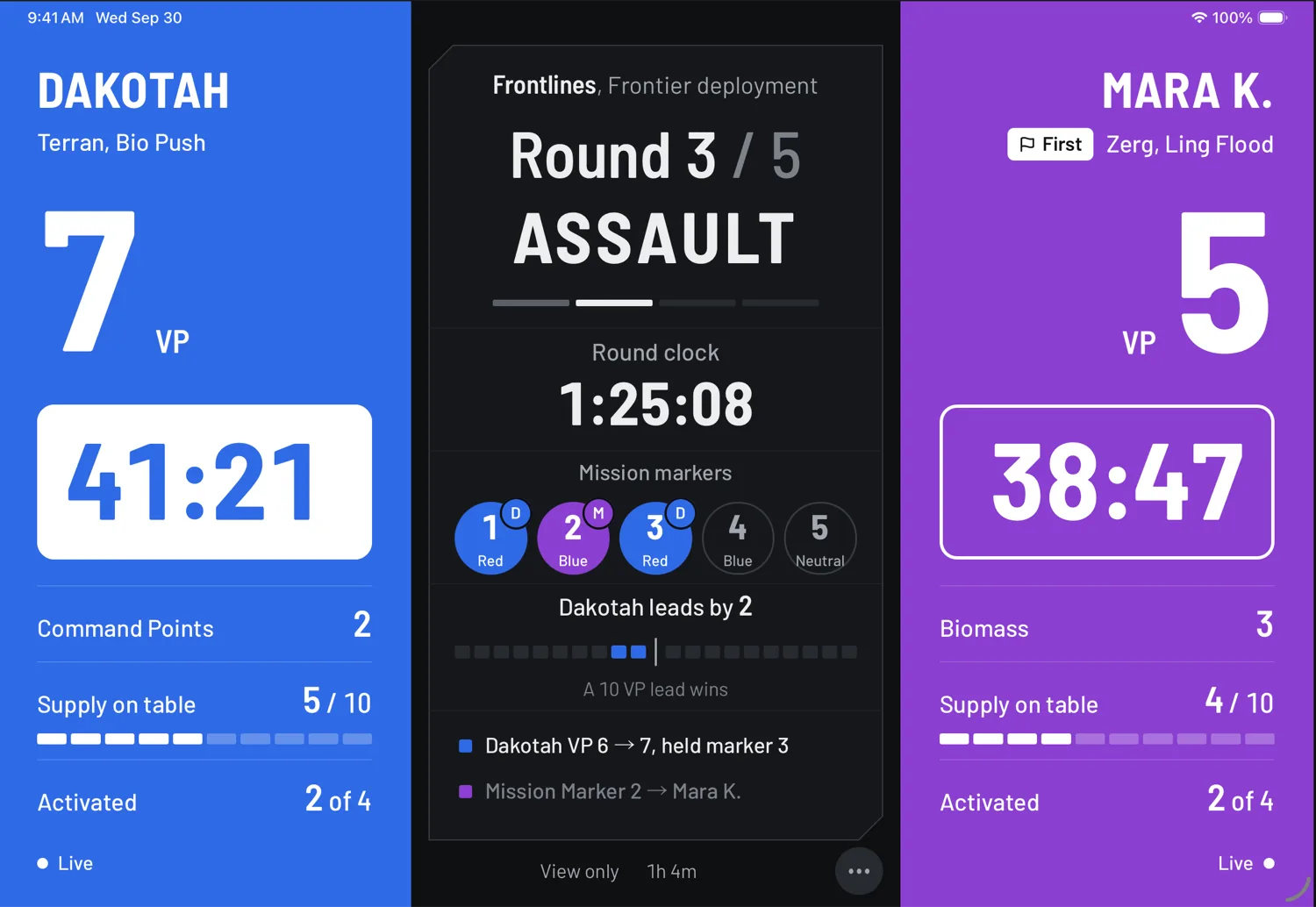
The table display in landscape with a clock under each player's score: Dakotah's running clock at 41:21 in white, Mara K.'s waiting clock at 38:47 in outline, and the round clock at 1:25:08 in the centre.
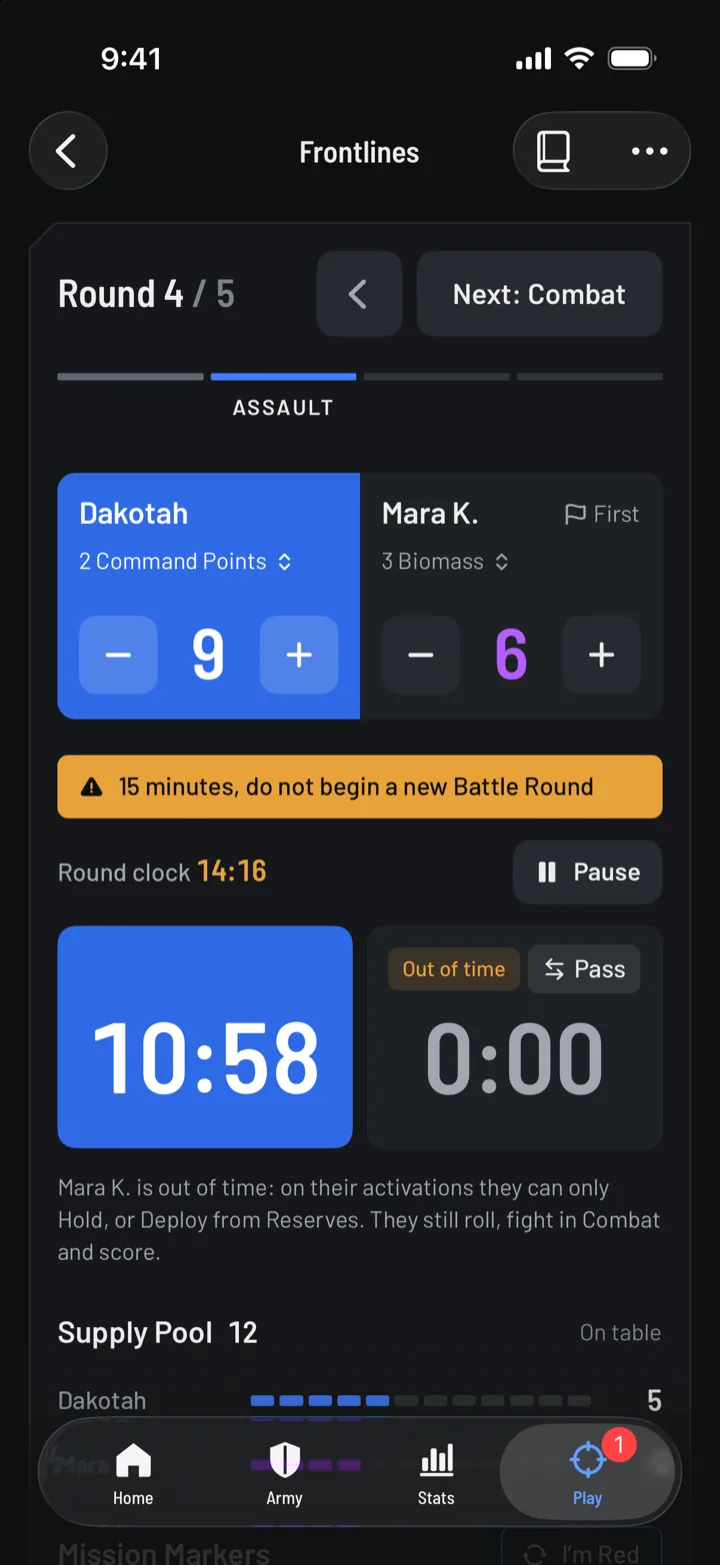
The phone tracker at the 15-minute call in round 4: an amber bar reads 15 minutes, do not begin a new Battle Round, the round clock shows 14:16 in amber, and Mara K. is out of time.

The game on your Lock Screen

The round, the score and both clocks, without unlocking your phone. In other apps the Dynamic Island keeps your clock in view. Press and hold it to see the whole game. On Android, the game sits in a notification.

Mission and deployment draft

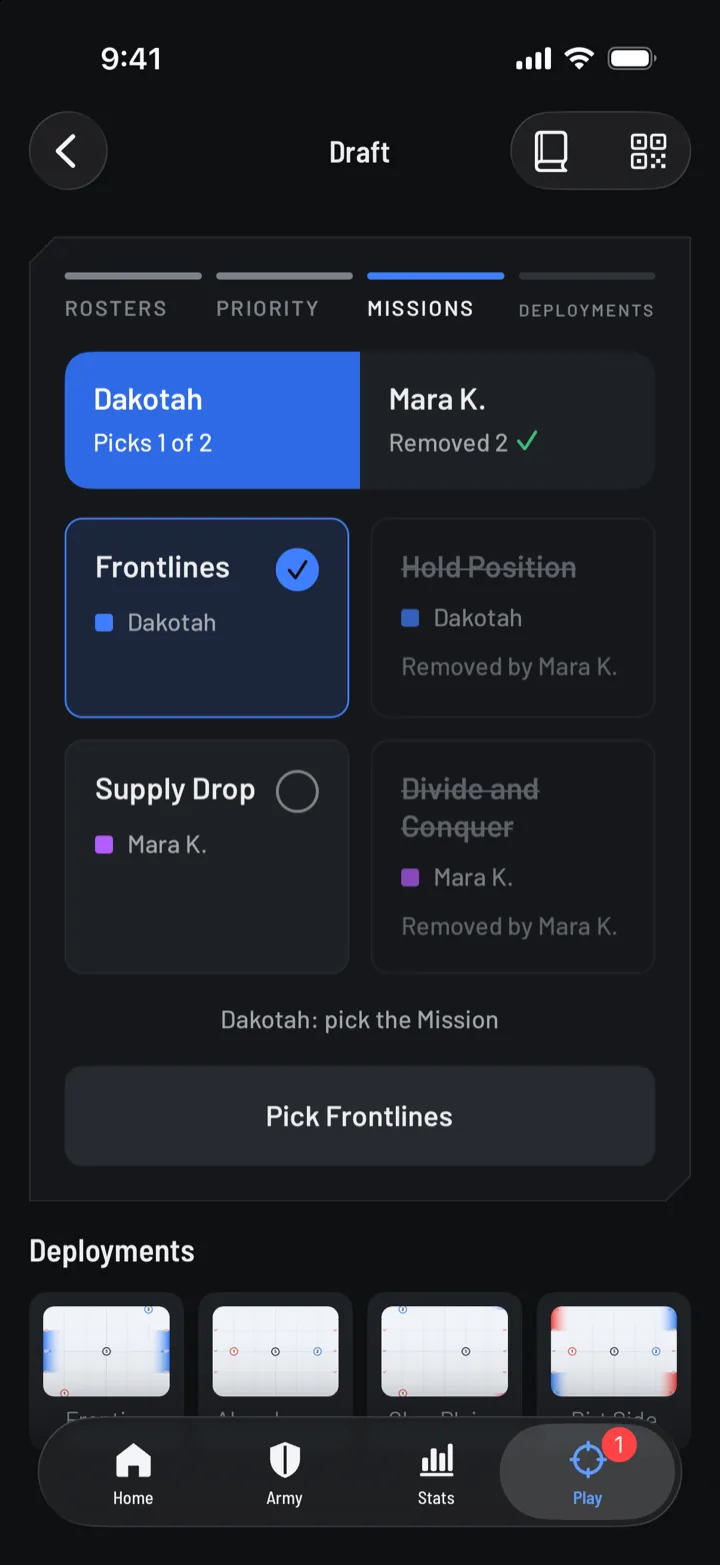
When both lists bring their draft cards, pick and remove missions and deployments across both phones, in the order the guide sets.

The mission draft: Dakotah picks 1 of 2. Frontlines is selected, Hold Position and Divide and Conquer are struck through as removed by Mara K., and the button reads Pick Frontlines.

The official result

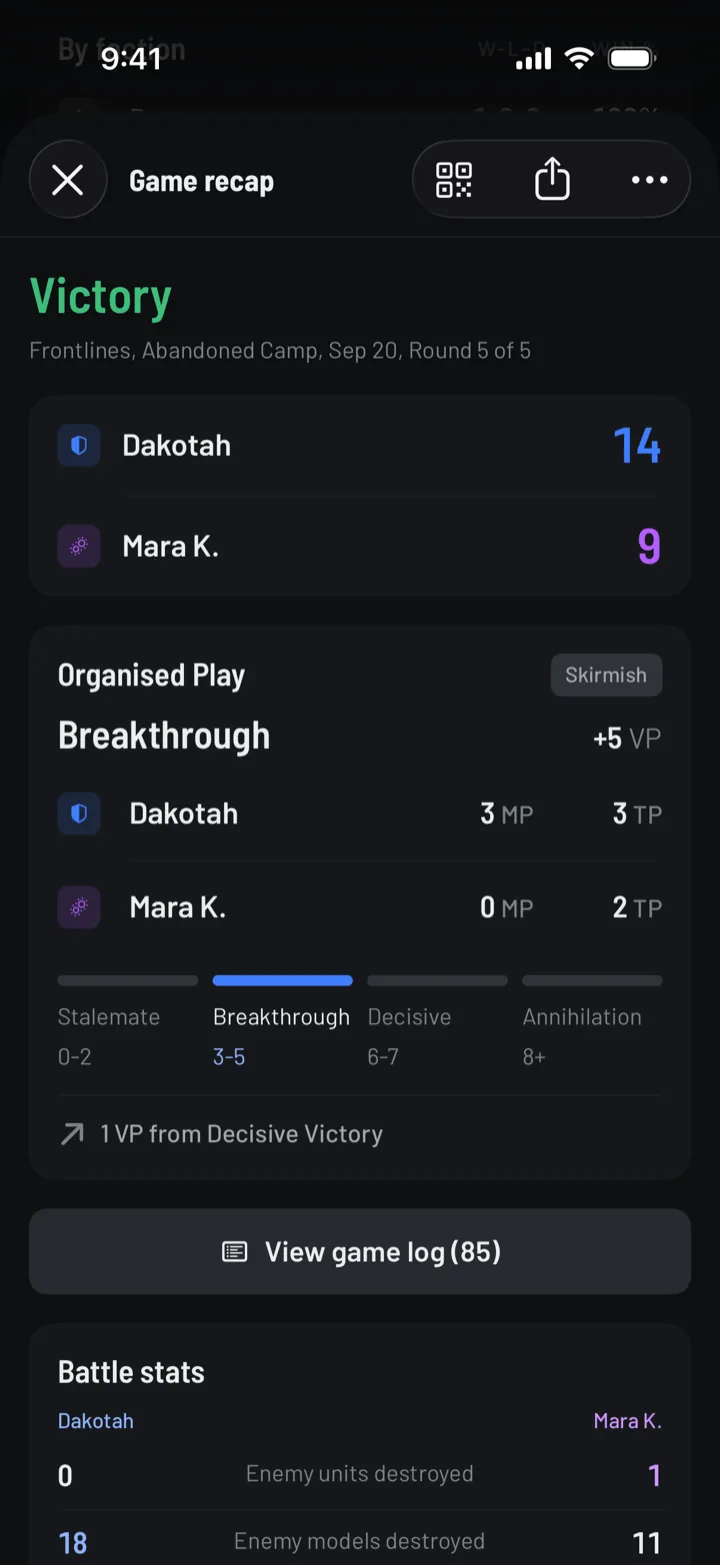
Every game ends with its result band and tournament points, draws included.

The game recap: Victory, Dakotah 14 to Mara K. 9, and an Organised Play card showing Breakthrough, 3 MP and 3 TP against 0 MP and 2 TP.

Faction and Tactical Cards

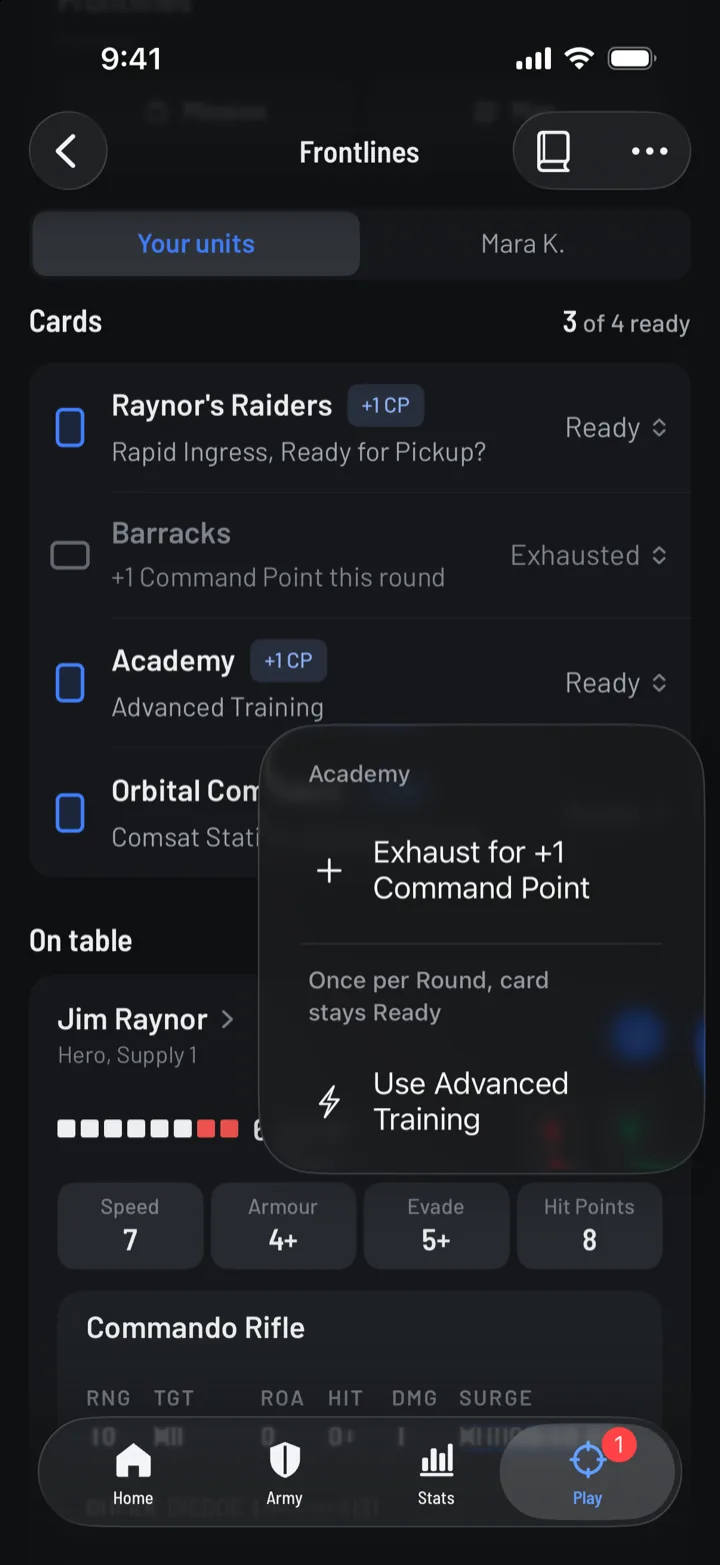
Ready or exhausted, and what each card paid out this round.

Cards in the tracker: the Raynor's Raiders Faction Card, Academy and Orbital Command ready, Barracks exhausted, and a menu on Academy offering Exhaust for +1 Command Point or Use Advanced Training.

Events

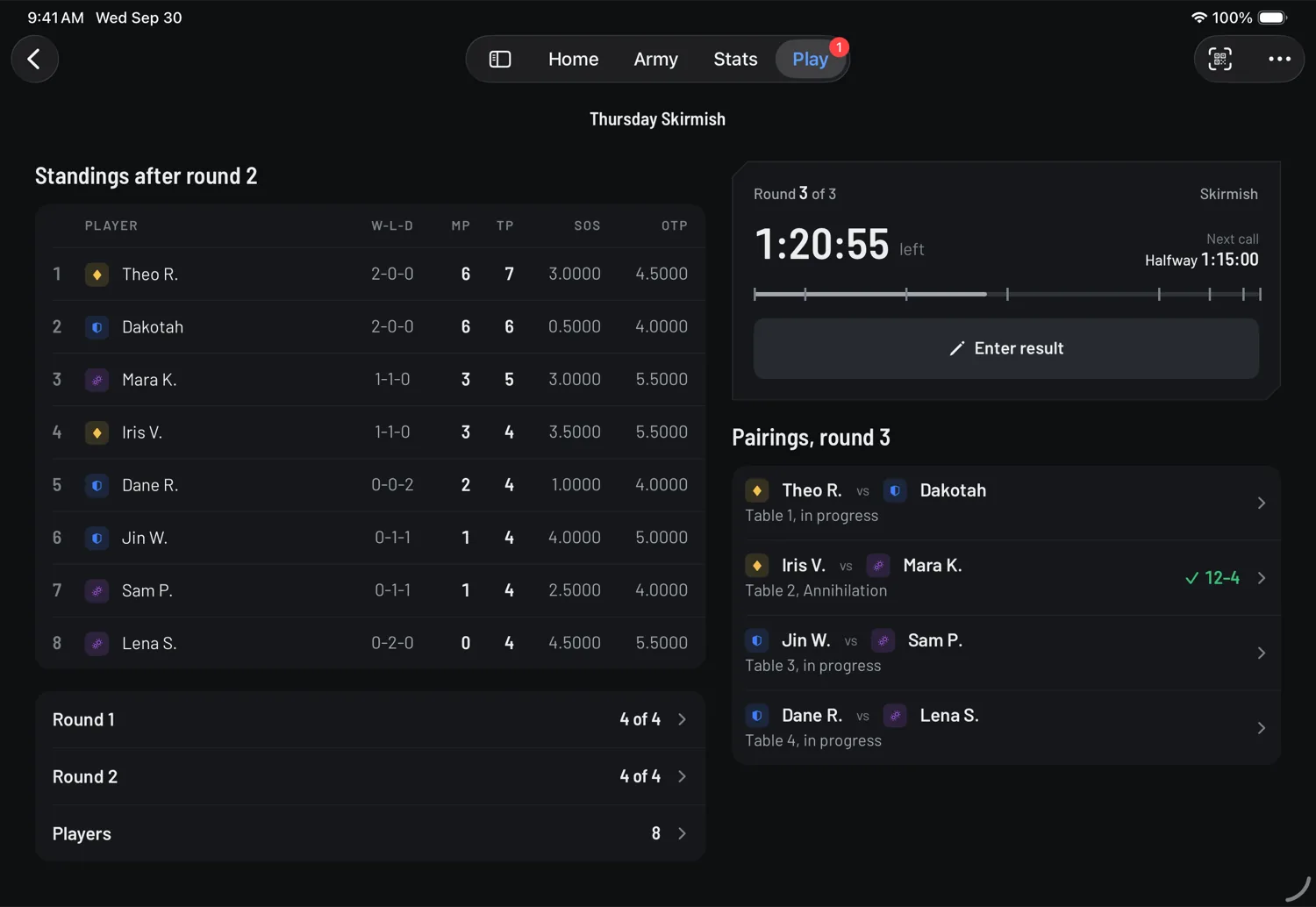
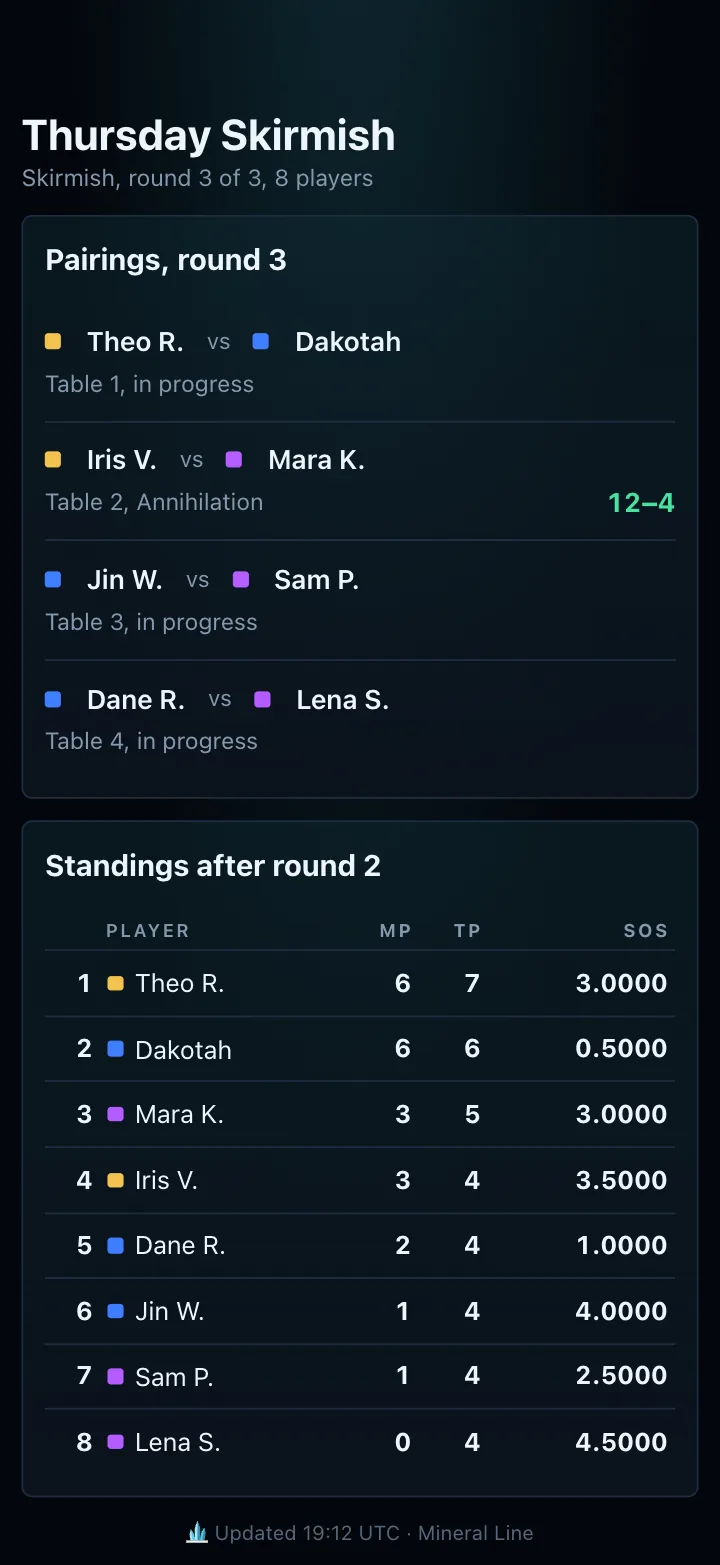
Run a small Swiss tournament from a tablet at the store counter: pairings, results, standings and the round clock. Players scan the event code, link their games, and follow along on their own phones, no account needed.

Thursday Skirmish on an iPad at the counter: standings after round 2 for eight players on the left, and on the right the round 3 clock at 1:21:17 with an Enter result button above the four pairings.
The event page a player follows on their phone: the round 3 pairings, Theo R. against Dakotah at table 1, and the standings after round 2.

07Privacy

No account needed. Your lists and games are saved on your device.

Lists, games and stats are stored on your phone or tablet. Turn on iCloud or Google Drive sync if you want them on another device. An account is optional, and it's free.

Price
Free
Account
Optional
Offline
Tracker / Lists / Rules
Cookies
Only to sign in on the web

Questions

Is Mineral Line official?

No. It's an unofficial app made by a player. It isn't affiliated with or endorsed by Blizzard Entertainment or Archon Studio.

What does it cost?

Nothing. It's free.

Do I need an account?

No. The app never asks for one. If you want your lists and games on your other devices, sign in from Settings → Account. It's optional. The web app needs one to build lists.

Does it work without a connection?

Tracking a game on one phone works fully offline, and so do building lists and searching the rules. Linking two phones, the table display and watching a game need an internet connection to our server.

Which devices does it run on?

iPhone, iPad, and Android phones and tablets, in portrait and landscape.

Does my opponent need the app to play?

No. One phone can track both sides. Linking a second phone is optional.

When can I get it?

It's in alpha now. On iPhone and iPad, join the play-test on TestFlight. On Android, download the alpha from this site. The App Store and Google Play releases come after the alpha.

08Alpha

Join the play-test.

Install the alpha, play a game with it, and tell us what breaks. It's free.

01

iPhone and iPad

  1. Install TestFlight from the App Store.
  2. Open the invite link on your iPhone or iPad.
  3. Tap Accept, then Install.
Join the alpha onTestFlight

02

Android

  1. Open this page on your Android phone or tablet and tap Download the alpha.
  2. Open the file. If Android asks, let your browser install apps.
  3. Tap Install. If Play Protect warns you, tap More details, then Install anyway.
Download the alpha forAndroid

03

On your computer

Read the rules in your browser. Sign in to build lists there, and they're on your phone too.

Open theWeb app

Found a bug? Send it from the app: Settings → Feedback & bugs. Anything else, email help@mineralline.app.